Overview
During a fast-moving live auction, buyer confusion costs you money. When bidders can't see the current price clearly, they hold back. When they're not sure what item is on the block, they disengage. When they miss what's coming up next, they stop paying attention.
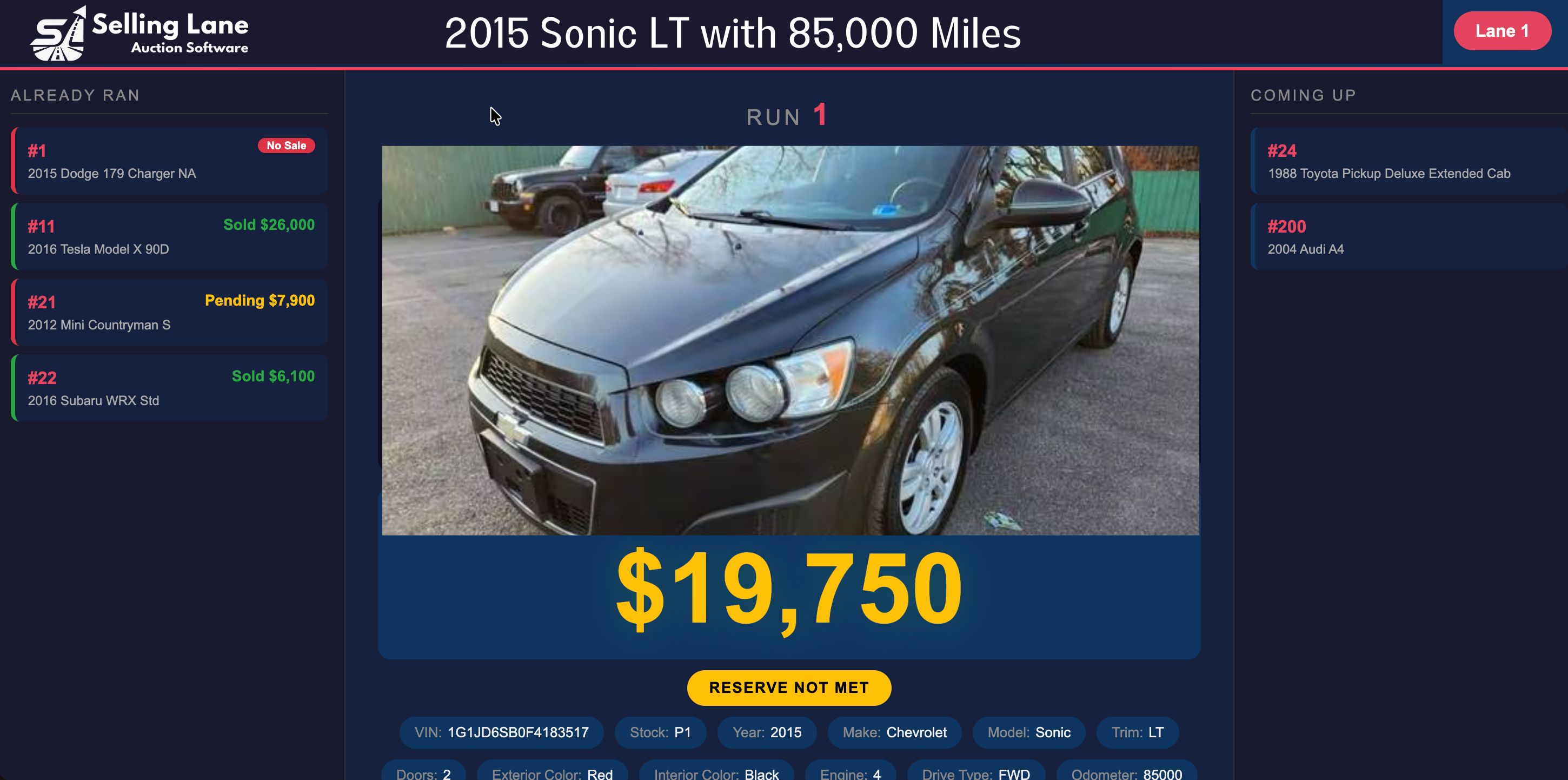
The Selling Lane TV Display is a full-screen presentation mode designed to be projected on a large screen or television in your auction venue. It shows exactly what's happening right now — current item with photos, current bid, and bid activity — and updates in real time as the auction advances.
No separate software or hardware required. Open the TV Display mode on any device connected to your venue's screen or projector, and it stays in sync with your auctioneer dashboard automatically.
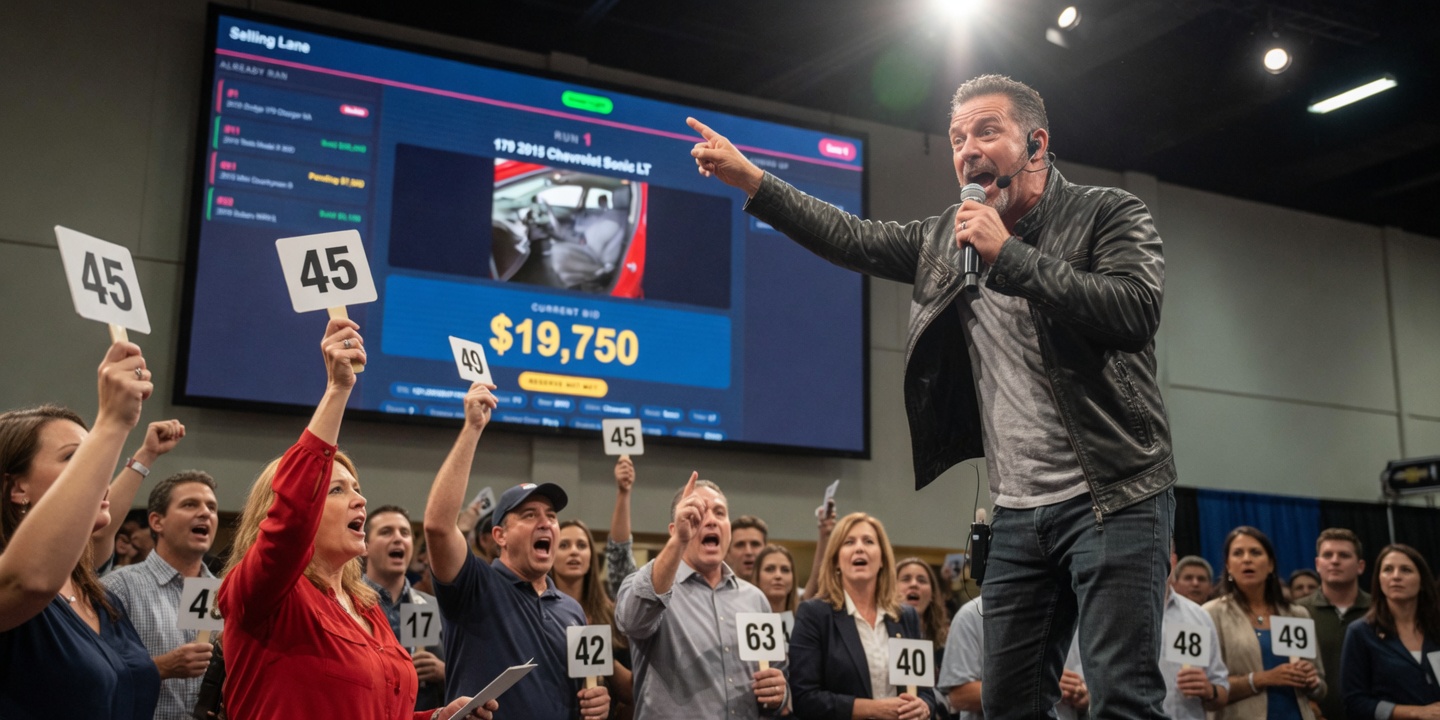
"Command the Room: A professional display eliminates buyer confusion about the current price, the item condition, and what's on the block next — keeping bidders engaged and bidding."
Key Benefits
👁️
Eliminate Buyer Confusion
When every bidder in the room can clearly see the current lot and current price, engagement stays high and bids come faster.
📸
Large-Format Item Photos
Item photos display full-screen behind the bid information — bidders across a large room can see the item they're bidding on.
⚡
Real-Time Sync
The TV Display updates the moment your auctioneer advances a lot or a new bid registers. No delay, no manual refresh.
📺
Any Screen or Projector
Connect any device running a browser to your venue's TV or projector. No special hardware, no dedicated display terminal needed.
🎨
Branded Display
The TV Display uses your brand colors and logo — every bidder in the room sees your brand, not Selling Lane's.
📋
Condition Report Integration
Key condition details from your condition reports can appear on the display — reinforcing buyer confidence at the moment of bidding.
How It Works
1
Connect a Device to Your Venue Screen
Open the TV Display mode in Selling Lane on a laptop, tablet, or smart TV browser connected to your projector or large screen.
2
Auctioneer Starts the Event
When the auction goes live on the auctioneer dashboard, the TV Display activates automatically with the first lot.
3
Display Advances With Each Lot
As the auctioneer advances lots, the TV Display switches to the new item — photos, title, and current bid — in real time.
4
Bidders Stay Engaged
With clear visual information always available, bidders remain focused, bids come faster, and the energy in the room stays high.
What's Included
- Full-screen presentation mode for any browser-connected display
- Real-time sync with auctioneer dashboard — no manual refresh
- Large-format item photos with current lot details
- Current high bid and bid increment displayed prominently
- "Up Next" lot preview to keep bidders prepared
- Branded display with your logo and colors
- Condition report highlights visible on-screen
- Works with any TV, projector, or large monitor
- Multi-screen support — run displays in multiple areas of your venue
- Included in every plan — no add-on fee